What is the “Sample Page”?
When you first install WordPress, your site includes a default “Sample Page.” This is a placeholder page meant to demonstrate how WordPress pages work. However, it’s not intended to stay on your live website.
Why you should delete it
1. Keeps your site looking professional
If the “Sample Page” is still on your website, it can make your site look unfinished or neglected. Deleting it ensures that your site presents a polished and well-maintained image.
2. Improves SEO
Search engines may index the default “Sample Page,” and because many WordPress sites still have it, this can lead to duplicate content issues. Removing it helps search engines focus on your real content instead.
3. Reduces potential security risks
Some automated bots look for default WordPress content to find sites that may not be fully set up yet. If the “Sample Page” is still live, it could signal that your site is incomplete, making it a potential target for attacks.
How to delete the “Sample Page” in WordPress
Here’s how to delete the “Sample Page” in WordPress:
- Click Delete “Sample Page” in your Ravi’s Recommendations section. Then the “Sample Page” automatically opens. This takes you to the page where you can delete the “Sample Page”.

- Click “Move to trash” at the bottom of the sidebar.

- Confirm that you want to move “Sample Page” to trash.

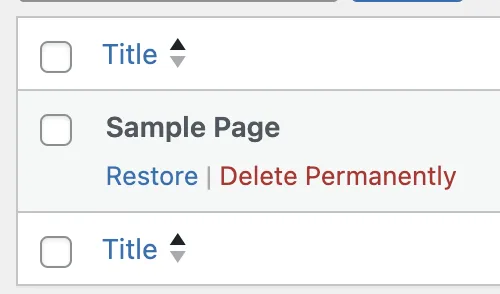
- Go to the Trash section and select Delete Permanently.
Why is this a Ravi’s Recommendation?
At Progress Planner, we focus on helping you maintain a clean, professional, and optimized website. Removing unnecessary default content like the “Sample Page” ensures your site is well-organized, improves search engine visibility, and eliminates security risks.
Check your site now—if the “Sample Page” is still there, it’s time to remove it!